



Easy Setup & Wide Compatibility
Plug and play in seconds
- One full‑featured USB‑C port or one HDMI port (video output supported) – that’s all you need.
- No extra drivers or accessories required.
Fits most laptops
- Designed for 13″–17″ laptops
- Maximum laptop length: 15.74 inches
- Maximum screen lid thickness: 8mm
Works with almost any device & OS
- Operating systems: Windows, macOS, Linux, Android
- Devices: laptops, tablets, PS5, Nintendo Switch, and more
14″ 1080P IPS FHD Screen
- Size & resolution: 14 inches, 1920×1080 FHD
- Panel type: IPS (vivid colors, wide viewing angles)
- Brightness: 300 nits for clear, vibrant visuals
- Benefits: Enhances gaming, boosts work productivity, supercharges multitasking
Portable, Lightweight & Efficient
- Weight: only 2.11 lb – easy to carry
- Performance boost: increases productivity by up to 100% (based on user feedback)
- Stable stand: flexible but sturdy, keeps screens steady
- Travel friendly: comes with a carrying bag, ideal for working or gaming on the go
Customizable Settings & Reverse Charging
On‑screen controls
- Adjust brightness, volume, contrast, and other parameters with a single button on top.
Flexible viewing angles
- Supports 180° screen rotation (expand, mirror, or tilt to the perfect angle).
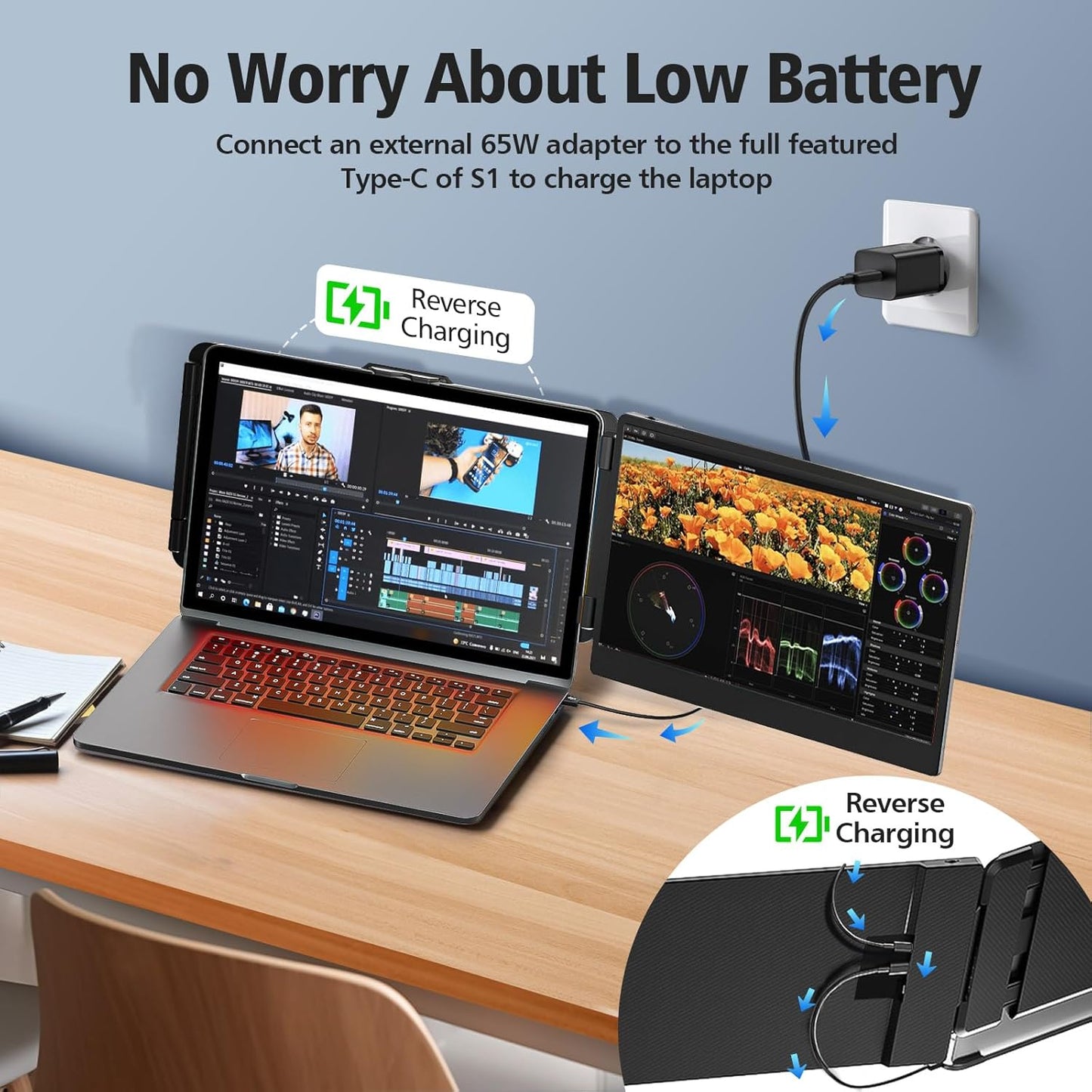
Reverse charging
- Can reverse‑charge your phone and laptop when connected (power sharing).
Customer Support & Compatibility Check
Before purchasing, please confirm:
- Your laptop has at least one full‑featured USB‑C port or one HDMI port (supporting video output).
- The maximum length of your laptop is 15.74 inches or less.
All Bosii S1 units go through rigorous pre‑sale inspection.
If you have any compatibility questions, contact us – we’re happy to help.


How do I know if my laptop is compatible with this screen extender?
Your laptop must have one of the following port setups:
- One full‑featured USB‑C port that supports video output (DisplayPort Alt Mode), OR
- One USB‑A or USB‑C port (for power) plus one HDMI port that supports video output.
Tip: If you’re unsure whether your USB‑C port supports video output, check your laptop’s specifications or contact your manufacturer.
Why does the screen extender show “No Signal”?
The most common cause: your laptop’s USB‑C or HDMI port does not support video output.
- Try connecting to a different port.
- Make sure you are using a cable that supports video (not just charging).
If the issue persists, contact us at Techservicer@outlook.com – we’ll help you check compatibility.
What're the laptop size requirements ?
This screen extender is designed for laptops 13 to 17 inches.
- Maximum laptop length: 15.74 inches (400 mm).
Please measure your laptop’s length before purchasing to ensure a proper fit.
The screen does not light up after connecting – what should I do?
This usually means your laptop’s USB port cannot supply enough power.
Solution:Use an external power source (e.g., a USB wall charger) that provides5V/2Ato power the monitor separately.
Once the monitor has external power, it should light up and work normally.